
Every operational manager running deliveries deals with the same daily puzzle. Which driver goes where, in what order, and how do you know something’s wrong before a customer calls to complain about it. A delivery management system takes that puzzle off your plate and turns it into a live dashboard instead of a guessing game.
This piece walks through what that looks like day to day, from route planning to customer updates, and what to check before you pick software for your team.
The Real Cost of Manual Delivery Management
Before software, most delivery operations ran on phone calls, group chats, and a spreadsheet someone updated between deliveries. That works, sort of, until a business scales past a handful of drivers and dozens of daily stops, at which point it starts breaking down and costing real money.
An order slips through the cracks because two dispatchers each assumed the other handled it, or a driver spends an extra forty minutes backtracking because nobody planned the route in advance. None of this shows up on a balance sheet directly, but it adds up in wasted hours, wasted fuel, and customers who quietly stop ordering.
This is the gap that delivery operations management software is built to close. A few signs usually show up before a manager realizes the manual approach has run its course:
- Dispatchers spend more time on the phone than on planning
- The same customer complaint about a late order comes up week after week
- Drivers routinely finish their shift with very different workloads
- Nobody can say, without checking three different places, where an order stands right now
None of these on their own is a crisis. Together, they point to a process that’s outgrown the tools running it.
How a Delivery Management System Actually Works
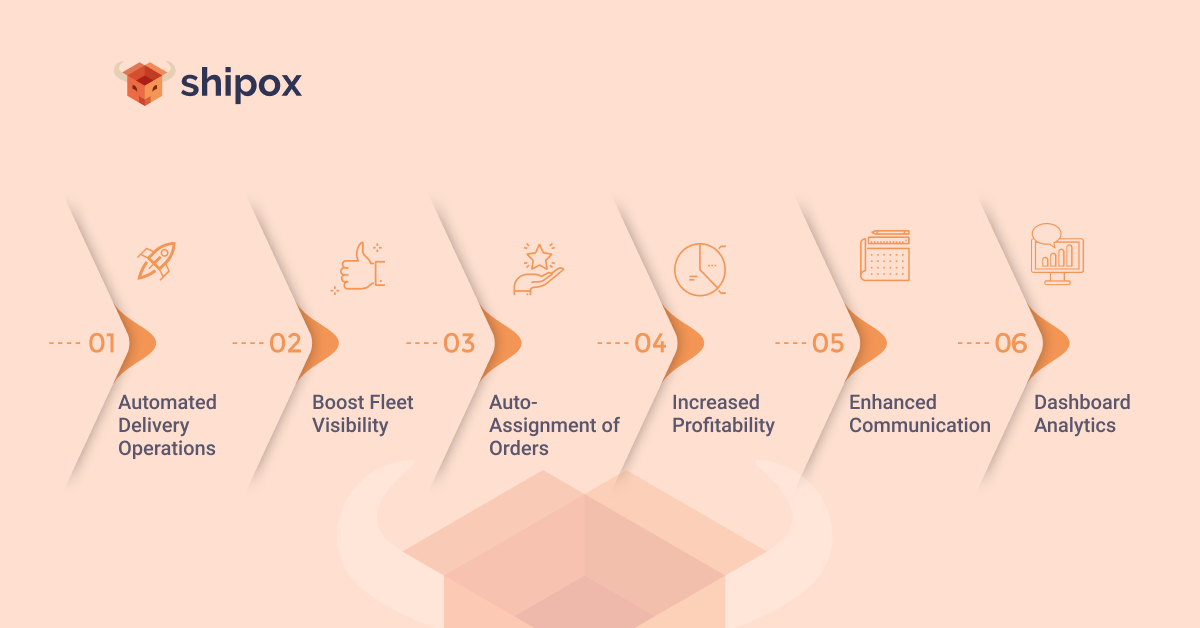
At its core, this kind of platform pulls order intake, driver assignment, routing, tracking, and proof of delivery into one place, so a manager works from a single screen instead of five tools and three group chats.
How Orders Move Through the Platform
An order comes in from a store, an app, or a phone call. The platform logs the address, delivery window, and any special instructions right away, then either sends it to a dispatcher for manual assignment or auto-assigns it based on location and current workload.
Getting Drivers What They Need
Once assigned, the driver sees the stop on their app: address, contact details, delivery notes, a suggested route. If the delivery window changes, or a customer isn’t home, they log it from the app, and the update reaches the manager right away, not hours later.
Route Planning That Actually Saves Money
Route planning sounds like a minor feature until you watch what happens without it. A driver with ten stops and no planned order will often just go in the sequence the orders arrived at, which is rarely the shortest path.
Good software looks at all ten addresses at once and works out a sequence that cuts backtracking and idle driving time, saving fuel and finishing more stops before drivers clock out. It also means managers spend less time manually re-planning a route every time a new order comes in mid-shift, since most platforms can just slot the stop in on their own.
For businesses running care delivery management solutions across medical, grocery, or pharmacy routes, this matters even more, since a missed time window in these categories can mean a spoiled prescription delivery, not just an annoyed customer.
Keeping Track of Every Driver in Real Time
Before real-time tracking, a manager’s only way to check on a driver was to call them, which is disruptive for the driver and inefficient for the manager, especially across a fleet of twenty or more.
With good delivery software, live GPS data sits right on the dashboard for every active driver, so managers can see who’s running behind, who’s idling too long, and who’s ready for another stop.
Shipox, for example, shows this fleet view alongside delivery status, so a manager isn’t switching between a map app and an order list. Some of the more detailed care delivery management solutions on the market let you filter this view further, by vehicle type, delivery category, or region.
This visibility also protects drivers. If a customer disputes a delivery time, the record is timestamped instead of relying on someone’s memory.
Getting the Right Job to the Right Driver
Manual dispatch tends to create uneven workloads, with some drivers packed and others idle, simply because whoever assigned the orders lacked a full view of everyone’s load.
Auto-assignment fixes this by matching new orders to drivers based on location, vehicle type, and current workload. The Shipox driver app, for instance, can pick up an order on its own rather than waiting for a dispatcher to notice a gap.
That’s what modern delivery operations management is really about: matching work to capacity as it happens, not sorting it out after the fact. It doesn’t remove the manager from the loop, it just means they’re stepping in for exceptions instead of assigning every order by hand.
Customer Updates Without the Phone Calls
A large share of customer service calls come down to one question: where is my order? Answering that one call at a time is expensive.
Automated notifications solve most of this before the phone even rings, with a message when the order is confirmed, another when the driver’s on the way, and a final one at delivery. Some platforms also offer a live tracking link so customers can check progress themselves.
Proof of delivery closes the loop. A photo, a signature, or a delivery code confirms the drop-off happened, which cuts down on disputes about whether an order actually arrived.
Turning Delivery Data Into Decisions
Every completed delivery generates data: how long it took, which route was used, whether it was on time. Collected by hand, this is nearly useless. Pulled together automatically, it tells a manager exactly where the operation is losing time or money.
A dashboard built into a delivery management system usually shows this in a way that’s easy to scan: average delivery time by route, driver performance over a month, and which time slots see the most delays. Shipox’s dashboard analytics work this way, giving managers one view instead of pulling numbers from spreadsheets.
Turning that data into decisions, rather than filing it away, is what separates real delivery operations management from basic order tracking.
Connecting the Software to the Rest of Your Stack
Most delivery operations don’t run in isolation. Orders usually come from an online store, a point-of-sale system, or a separate order management tool, and none of that data helps if a manager has to enter it by hand a second time.
A platform that connects directly to an existing store or ERP system pulls new orders in automatically, which removes a common source of errors: a mistyped address, or a missed instruction caught only after a driver’s already on the road.
For operational managers, this also means fewer places to look when something goes wrong, since everything relevant to an order sits in one system instead of three.
Choosing the Right System for Your Team
Not every business needs the same features, and the market for care delivery management solutions has grown crowded enough that comparing options feels like a project on its own. A few practical questions help narrow the list:
- Does it handle your order volume without slowing down during peak hours?
- Can drivers use it easily on their own phones, without much extra training?
- Does it connect with the order or inventory systems you already run?
- Does the tracking and notification setup match what your customers expect?
- Is pricing structured in a way that still makes sense as you add more drivers?
Managers should also think about how much manual work they’re actually trying to remove. Strong auto-assignment and route planning save the most time for teams juggling a large or unpredictable order volume, while a smaller operation might get most of the value from just tracking and notifications.
Care delivery management solutions built for specific industries, like pharmacy or food delivery, often include compliance or timing features that general-purpose platforms skip. If your business falls into one of those categories, it’s worth checking for that fit directly.
Conclusion
Delivery software doesn’t replace the operational manager. It removes the parts of the job that are pure repetition: tracking down drivers, retyping addresses, answering the same customer question five times in an afternoon.
That frees up time for decisions that actually need a person’s judgment. Route planning cuts wasted driving time, auto-assignment spreads work more evenly, and automated updates cut down on calls.
Picking the right delivery management system still takes work, and it takes giving drivers and dispatchers time to adjust. Platforms like Shipox are built around that kind of fit, not a generic checklist of features, and once the adjustment period passes, the daily puzzle of who goes where gets a lot easier to solve.